> ## Documentation Index
> Fetch the complete documentation index at: https://getalchemystai.com/docs/llms.txt
> Use this file to discover all available pages before exploring further.
# Contributing
> Guide for contributing to our documentation
## Introduction
Welcome to our documentation contribution guide! We're excited that you're interested in helping improve our documentation. This guide will walk you through everything you need to know to make your first contribution.
## Prerequisites
Before you begin, ensure you have the following:
**Required Tools & Accounts**:
* Node.js version 19 or higher
* npm or yarn
* Git installed on your machine
* A GitHub account
* A docs repository with a `docs.json` file
* Code editor (we recommend VS Code)
## How to Contribute
Follow these steps to make your first contribution:
1. Fork the repository by clicking the 'Fork' button on GitHub
2. Clone your fork locally:
```bash theme={null}
git clone https://github.com/YOUR-USERNAME/docs.git
cd docs
```
Install the Mintlify CLI:
```bash theme={null}
npm i -g mint
```
Navigate to your developer-docs directory, and start the development server:
```bash theme={null}
cd developer-docs
mint dev
```
A local preview will be available at `http://localhost:3000`.
Make your changes and test them locally.
Stage and commit your changes:
```bash theme={null}
git add .
git commit -m "Description of your changes"
```
1. Push your changes to your fork
2. Go to the original repository and create a Pull Request
3. Follow the PR template and provide a clear description of your changes
### MDX Quick Tips
* Check how MDX works. You can see examples in `/essentials`
### Structure & Navigation
* Place new pages in the most relevant directory (e.g., `ai-context/`, `integrations/`).
* For API docs, follow `api-reference/endpoint/api/v1/...` folder conventions.
* Update `docs.json` to surface new sections/pages in the sidebar navigation.
### Quality Checks
* **Run**: `mint dev` and verify the page renders, links work, and images load
* **Lint/content sanity**: check for broken links, heading hierarchy, and typos
* **Keep line length readable**; wrap long lines and avoid trailing spaces
### Commit and PR
* Commit style: `docs(scope): short summary` (e.g., `docs(ai-context): add diagram`)
* When adding files, update the Directory map in this README (`developer-docs/README.md`).
* Push your branch and open a PR to `main`
* In the PR description: **include screenshots** of visual changes and a brief summary
* Request review from a maintainer; address feedback promptly
Please follow [Conventional Commits](https://www.conventionalcommits.org/) format:
* `fix: ...` → for bug fixes
* `docs: ...` → for documentation changes
* `feat: ...` → for new features
* `chore: ...` → for maintenance tasks
## Custom ports
By default, Mintlify uses `port 3000`. You can customize the port Mintlify runs on by using the `--port` flag. For example, to run Mintlify on `port 3333`, use this command:
```bash theme={null}
mint dev --port 3333
```
If you attempt to run Mintlify on a port that's already in use, it will use the next available port:
```
Port 3000 is already in use. Trying 3001 instead.
```
## Mintlify versions
Please note that each CLI release is associated with a specific version of Mintlify. If your local preview does not align with the production version, please update the CLI:
```bash theme={null}
npm update -g mint
```
## Validating links
The CLI can assist with validating links in your documentation. To identify any broken links, use the following command:
```bash theme={null}
mint broken-links
```
## Deployment
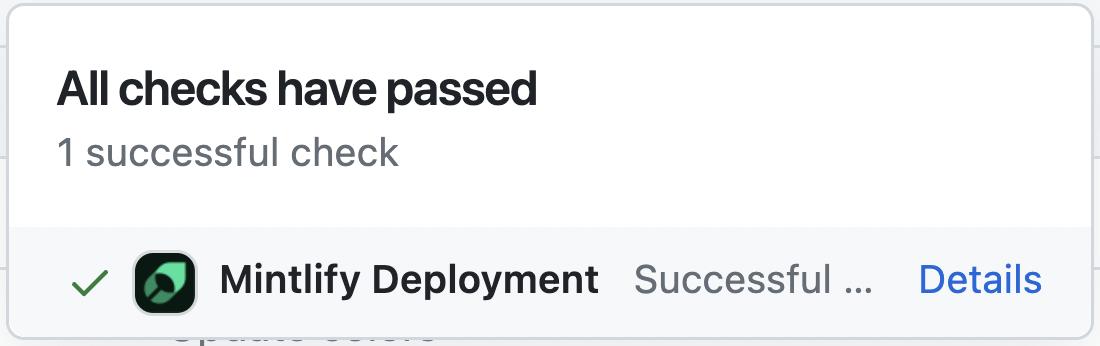
If the deployment is successful, you should see the following:
 ## Code formatting
We suggest using extensions on your IDE to recognize and format MDX. If you're a VSCode user, consider the [MDX VSCode extension](https://marketplace.visualstudio.com/items?itemName=unifiedjs.vscode-mdx) for syntax highlighting, and [Prettier](https://marketplace.visualstudio.com/items?itemName=esbenp.prettier-vscode) for code formatting.
## Troubleshooting
This may be due to an outdated version of Node.js. Try the following:
1. Remove the currently-installed version of the CLI: `npm remove -g mint`
2. Upgrade to Node v19 or higher.
3. Reinstall the CLI: `npm i -g mint`
Solution: Go to the root of your device and delete the `~/.mintlify` folder. Then run `mint dev` again.
Curious about what changed in the latest CLI version? Check out the [CLI changelog](https://www.npmjs.com/package/mintlify?activeTab=versions).
## Review Process
Here's what happens after you submit your PR:
1. **Initial Check**: Automated checks will run to ensure your changes meet our basic requirements
2. **Review**: A maintainer will review your PR within 1-2 business days
3. **Feedback**: You may receive feedback requesting changes
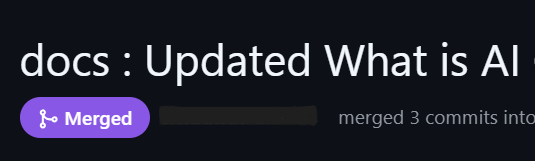
4. **Merge**: merged into the `main` branch.\
Once deployed, you can view your changes at [docs.getalchemystai.com](https://docs.getalchemystai.com/).\
If issues arise, submit a follow-up PR with focused fixes.
## Code formatting
We suggest using extensions on your IDE to recognize and format MDX. If you're a VSCode user, consider the [MDX VSCode extension](https://marketplace.visualstudio.com/items?itemName=unifiedjs.vscode-mdx) for syntax highlighting, and [Prettier](https://marketplace.visualstudio.com/items?itemName=esbenp.prettier-vscode) for code formatting.
## Troubleshooting
This may be due to an outdated version of Node.js. Try the following:
1. Remove the currently-installed version of the CLI: `npm remove -g mint`
2. Upgrade to Node v19 or higher.
3. Reinstall the CLI: `npm i -g mint`
Solution: Go to the root of your device and delete the `~/.mintlify` folder. Then run `mint dev` again.
Curious about what changed in the latest CLI version? Check out the [CLI changelog](https://www.npmjs.com/package/mintlify?activeTab=versions).
## Review Process
Here's what happens after you submit your PR:
1. **Initial Check**: Automated checks will run to ensure your changes meet our basic requirements
2. **Review**: A maintainer will review your PR within 1-2 business days
3. **Feedback**: You may receive feedback requesting changes
4. **Merge**: merged into the `main` branch.\
Once deployed, you can view your changes at [docs.getalchemystai.com](https://docs.getalchemystai.com/).\
If issues arise, submit a follow-up PR with focused fixes.
 ## Where to Ask for Help
Need help? We're here to support you:
* **Discord Community**: Join our [Discord server](https://discord.gg/H2StAaSeJ8) for real-time help
* **GitHub Issues**: Search existing [issues](https://github.com/Alchemyst-ai/docs/issues) or create a new one
Remember, no question is too small. We're happy to help you contribute!
## Where to Ask for Help
Need help? We're here to support you:
* **Discord Community**: Join our [Discord server](https://discord.gg/H2StAaSeJ8) for real-time help
* **GitHub Issues**: Search existing [issues](https://github.com/Alchemyst-ai/docs/issues) or create a new one
Remember, no question is too small. We're happy to help you contribute!