The Evolution of Personal Knowledge Management
In the digital age, our lives are scattered across thousands of disconnected files. From PDF bank statements, research papers, and Kindle highlights to voice memos, podcast recordings, and saved screenshots, our personal data footprint is massive. Traditional search mechanisms are rigid, relying on exact keyword matches and specific file structures. However, the emergence of Large Language Models (LLMs) has fundamentally changed how we interact with information. By leveraging a Retrieval-Augmented Generation (RAG) pipeline, you can effectively build a "personal AI brain" capable of understanding, retrieving, and synthesizing your unique digital history.
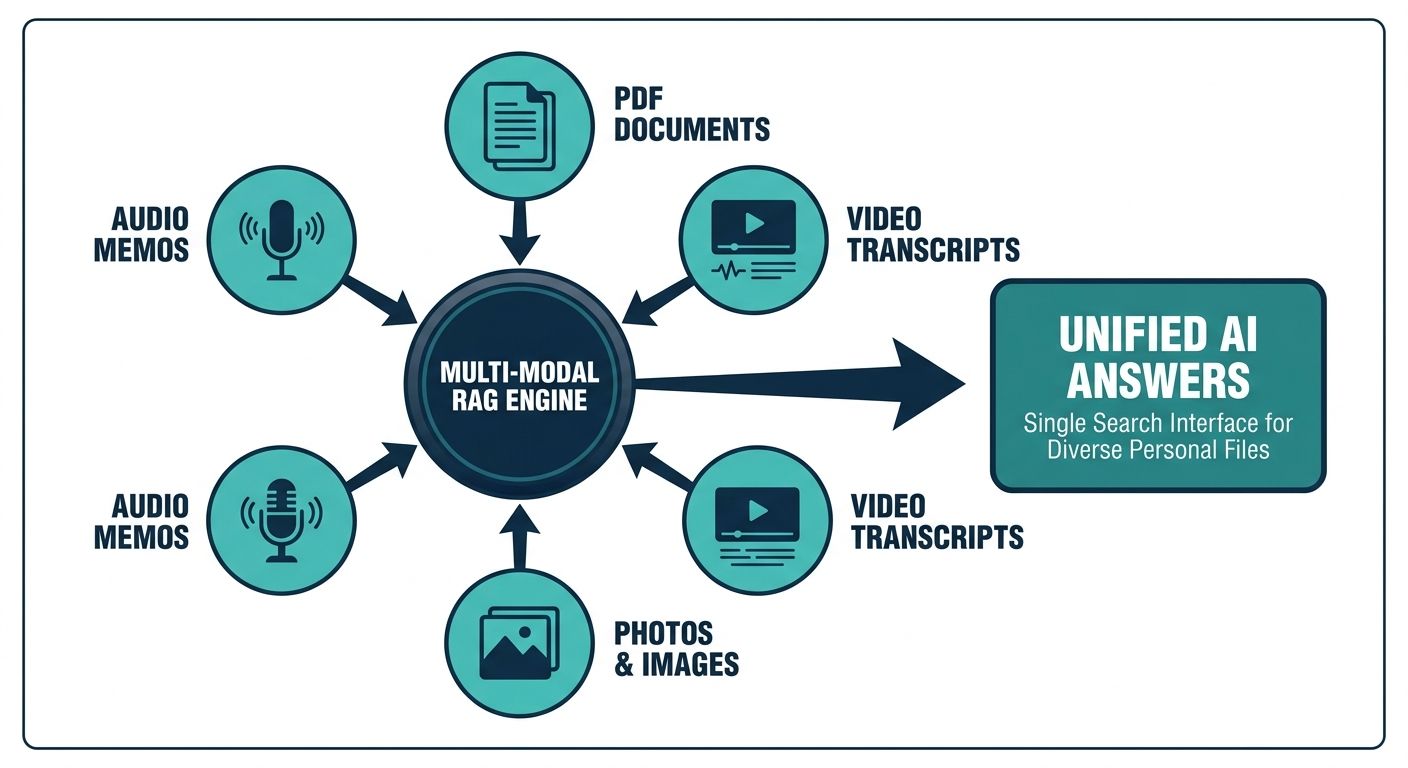
While standard RAG implementations have become common for querying text documents, a significant gap remains in how we handle complex unstructured data. Most tutorials focus exclusively on text files like PDFs or Markdown notes. Yet, a true personal knowledge management system must accommodate a multi-modal reality. A comprehensive RAG pipeline for personal documents and media must seamlessly integrate images, audio files, and video recordings, allowing you to ask your AI questions like, "What was that idea I recorded in a voice memo last week?" or "Summarize the whiteboard diagram I photographed yesterday."
What is a Multi-Modal RAG Pipeline?
Retrieval-Augmented Generation is an AI architecture that enhances the capabilities of an LLM by grounding it in a specific, external knowledge base. When you prompt a standard RAG system, it first searches your vector database for relevant information, retrieves the matching context, and feeds that context to the LLM alongside your original query. This ensures the AI's response is accurate, highly contextualized, and based entirely on your private data.
A multi-modal RAG pipeline takes this architecture several steps further. Instead of solely relying on text embedding models, it utilizes advanced data processing workflows to extract meaning from diverse media formats. This involves routing different file types through specialized ingestion layers. Audio files are passed through speech-to-text transcription models; images and videos are processed using Optical Character Recognition (OCR) and computer vision models like CLIP (Contrastive Language-Image Pretraining) to generate image embeddings or text descriptions. Once processed, these diverse media types are unified into a single, searchable semantic space.
Overcoming the Content Gap: Integrating Media into RAG
If you look at the current landscape of AI tools and tutorials, the vast majority overlook the practical integration of diverse media. This leaves users struggling to consolidate their holistic digital footprint. Integrating media requires specialized ingestion techniques and a robust context management system to ensure that the nuanced meaning of a video lecture or a hastily spoken voice note is not lost during the embedding process.
Processing Audio and Video Files
Audio and video are incredibly rich in context but are notoriously difficult to index. To include these formats in your RAG pipeline, you must implement an Automatic Speech Recognition (ASR) layer. Open-source models like OpenAI's Whisper are excellent for transcribing personal voice notes, saved Zoom meetings, and downloaded podcast episodes. Once the audio is transcribed into text, it can be chunked, embedded, and stored in your vector database just like a standard document.
However, running these models locally can be resource-intensive. When processing long-form audio or managing large volumes of enterprise or personal media, relying on specialized platforms can drastically reduce overhead. For instance, an AI-Native Context Management platform like Alchemyst AI provides scalable infrastructure that excels at managing unstructured data, offering a streamlined way to orchestrate complex context across diverse applications.
Handling Images and Scanned Documents
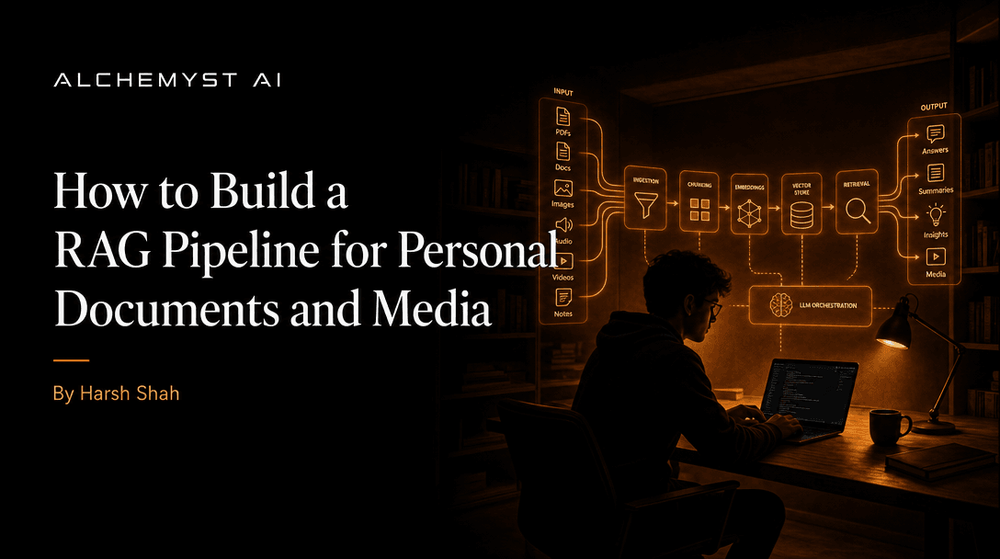
Visual data, such as infographics, scanned receipts, handwritten notes, and photographs of presentation slides, requires a different approach. You have two primary methods for integrating visual media into a RAG pipeline:
- Text Extraction (OCR & VLM): Using Optical Character Recognition (like Tesseract) or Vision-Language Models (like GPT-4V or LLaVA), you can generate a rich text description of the image. This text is then embedded and stored in the vector database. When a user queries the system, it retrieves the text description, which points back to the original image file.
- Multi-Modal Embeddings: Using models like CLIP, you can map both text and images into the exact same vector space. This allows you to search for images using natural language queries without ever having to generate text descriptions for the images themselves.
Core Components of a Personal RAG Architecture
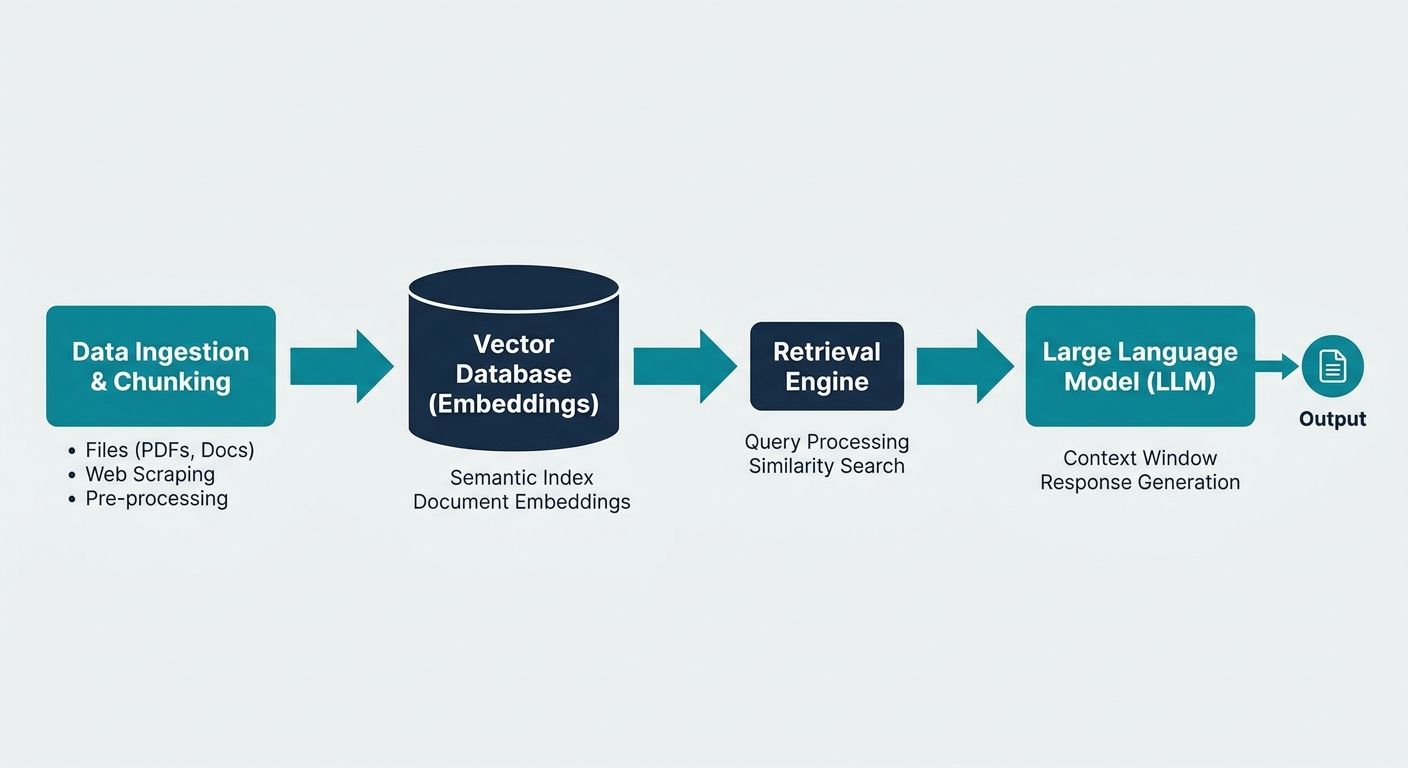
Building a RAG pipeline for personal documents and media requires orchestrating several moving parts. Below is a breakdown of the core architectural components necessary for a robust, multi-modal system.
Data Ingestion & Custom Connectors
Your personal data doesn't live in one place. It resides in Google Drive, Notion, local folders, Apple Notes, and cloud storage. The first step is establishing custom connectors that can periodically sync this data. Frameworks like LlamaIndex and LangChain offer extensive data loaders that can connect to these APIs and pull in raw data, whether it is an MP3 file from a designated folder or a deeply nested Notion page.
For individuals and businesses looking to automate this ingestion process without managing complex scripts, Alchemyst AI features powerful custom connectors and AI-powered transcription capabilities built natively into its tiered plans. Its context management engine automatically handles complex unstructured data—transcribing audio, summarizing lengthy media files, and maintaining persistent memory—so you can seamlessly retrieve insights from your personal media library.
Data Processing and Chunking Strategies
Once the data is ingested, it must be "chunked" into smaller, digestible pieces before embedding. If you embed an entire 100-page PDF or a 2-hour podcast transcript as a single vector, the semantic meaning becomes diluted, and the retrieval accuracy plummets. Chunking strategies must be tailored to the media type:
- Text Documents: Use recursive character splitting, ensuring a slight overlap between chunks so context isn't lost at the boundaries.
- Transcribed Audio: Chunking by timestamps or speaker diarization is highly effective. This allows the AI to reference the exact minute a particular topic was discussed.
- Code Files: Use AST (Abstract Syntax Tree) parsing to chunk code by functions and classes rather than arbitrary character counts.
Embedding Models for Multi-Modal Data
The embedding model is the heart of your semantic search. It translates human-readable content into high-dimensional numerical vectors. For text, models like OpenAI's text-embedding-3-small or open-source alternatives like nomic-embed-text are highly efficient. If you are building a truly multi-modal pipeline where images and text share the same vector space, you will need models designed for multi-modality, ensuring that the semantic relationship between a picture of a dog and the word "dog" is captured mathematically.
Vector Databases and Context Management
The vector database stores your embeddings and facilitates lightning-fast cosine similarity searches. Open-source options like ChromaDB, Qdrant, and Milvus are excellent for local setups. However, a vector database alone is not enough for an intelligent personal assistant; you also need a Context Management layer. This layer tracks conversation history, user preferences, and temporal relationships between documents. It ensures that if you ask, "What did I say about this in my previous note?" the system has the architectural memory to understand the reference.
Step-by-Step Guide to Building Your Personal AI Brain
Ready to build? Here is a practical, step-by-step methodology for constructing your multi-modal RAG pipeline.
Step 1: Centralizing and Sanitizing Data
Begin by identifying your primary data sources. Create an automated sync script (using Python and Cron jobs) that pulls data from your cloud storage and local directories into a central staging folder. Categorize this data into /text, /audio, /video, and /images to simplify the processing pipeline.
Step 2: Processing Media into Text-Searchable Formats
Write an ETL (Extract, Transform, Load) script that iterates through your staging folders. For the /audio and /video folders, route the files through a transcription model. You can utilize an API service to handle this transcription if local compute is an issue. Ensure that the output retains metadata, such as file creation date, source location, and file type, as this metadata is crucial for advanced filtering later.
Step 3: Generating Embeddings
Pass your processed text (both original documents and transcribed media) through your chosen embedding model. If utilizing LangChain, use the VectorStore abstraction to automatically embed your document chunks and load them into a local ChromaDB instance. Ensure you attach the metadata to every chunk before embedding.
Step 4: Setting up the Retrieval Engine
Implement a retrieval mechanism that goes beyond simple similarity search. Use techniques like Hybrid Search, which combines dense vector search (semantic meaning) with sparse keyword search (BM25). This is particularly useful for personal documents where you might be searching for specific names, acronyms, or project codes that traditional vector embeddings might blur.
Step 5: Crafting the User Interface
The UI is arguably the most overlooked aspect of personal RAG pipelines. Command-line interfaces are impractical for daily use. Build a simple web application using Streamlit or Gradio. Your UI should feature a chat interface for conversational queries, a traditional search bar for direct document retrieval, and a clear display of source citations. When the AI answers a question, it should link back to the exact PDF page, audio timestamp, or image that informed its answer.
Practical Considerations: UI, Cost, and Privacy
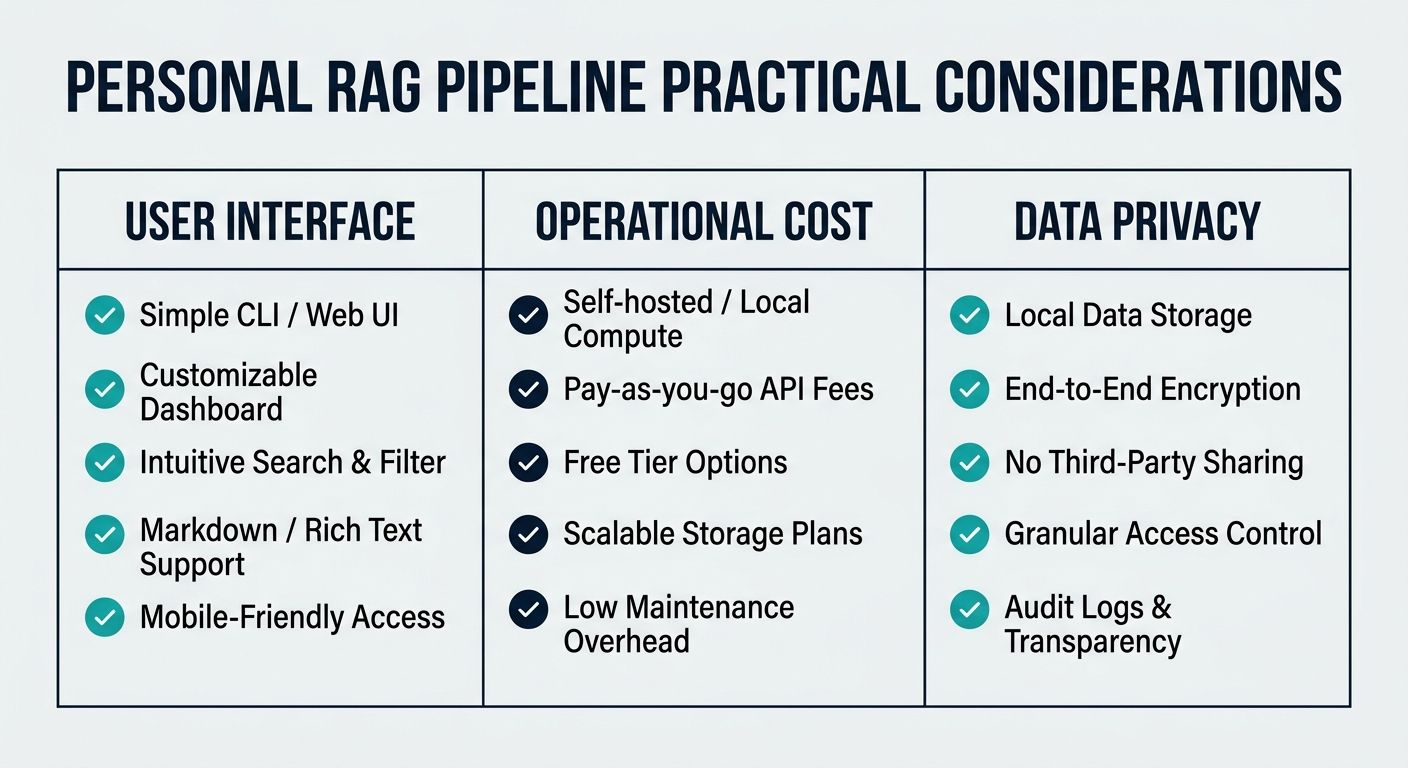
When transitioning from a conceptual pipeline to a daily-use personal assistant, several practical considerations emerge, specifically surrounding user interface, financial cost, and data privacy.
Cost Implications of Multi-Modal Data
Processing text is incredibly cheap, but media is another story. Running APIs for video transcription and high-resolution image analysis can quickly rack up costs. If building this pipeline on a budget, prioritize open-source models running locally via platforms like Ollama for text generation and local Whisper models for transcription. However, for professionals requiring high-speed processing and minimal maintenance, investing in a tiered SaaS solution that bundles transcription limits and AI summarization can ultimately be more cost-effective than managing a fragmented stack of APIs.
Data Privacy and Local Execution
Because this pipeline handles personal documents—tax returns, private journals, confidential work emails, and personal voice notes—privacy is paramount. If you choose to use proprietary models like GPT-4, ensure you understand their data retention policies via API usage. For absolute privacy, you can run the entire pipeline locally. Open-source LLMs like Llama-3 or Mistral can be hosted locally, ensuring that your personal data never leaves your machine. This local-first approach is becoming increasingly viable as open-source models match proprietary models in baseline capabilities.
Designing for Human Interaction
A personal AI brain is only as useful as its interface. The best RAG applications don't just return a text answer; they return a verified, actionable source. If you query your pipeline about a specific business meeting, the UI should not only summarize the meeting but provide an embedded audio player queued to the exact minute the topic was discussed. This multi-modal retrieval experience fundamentally bridges the gap between digital hoarding and true knowledge utilization.
Conclusion
Building a RAG pipeline for personal documents and media transforms your passive digital files into an active, intelligent collaborator. By moving beyond simple text documents and integrating audio, video, and image processing, you create a comprehensive personal AI brain capable of synthesizing your entire digital footprint. Whether you choose to assemble open-source tools from scratch or leverage advanced context management platforms, the ability to seamlessly query your personal unstructured data is the ultimate competitive advantage in the modern digital era.
Ready to transform your scattered documents, media, and unstructured data into an intelligent, actionable knowledge base? Alchemyst AI offers powerful AI-Native Context Management, automated transcription, and seamless multi-modal integrations designed to elevate your personal and business workflows.
Learn more about Alchemyst AI